Genea
The Peer-to-Peer Genealogy
Welcome to Genea! This application helps you manage and visualize your family tree. Below you will find instructions on how to use the app.
Getting Started
When you first open the app, you will see the main screen where you can add and manage family members.
Main Features
- Add Family Members: Use the "Add Mother" and "Add Father" buttons to add parents to the current person.
- Select Family Members: Use the autocomplete field to search and select family members.
- Edit Details: Edit the name, date of birth, gender, and description of the current person.
- Save: Use the save button to save the current person's details.
- Delete: Use the delete button to remove the current person from the family tree.
- Open: Use the open button to load a family tree from a JSON or YAML file.
- Share: Use the share button to export and share the family tree as a JSON or YAML file.
- Toggle Theme: Use the sun/moon icon to toggle between light and dark themes.
- Swipe Navigation: Swipe left to view siblings on the mother's side and swipe right to view siblings on the father's side.
- Remove Parent or Child: Long press on a parent or child to remove them from the currently selected person.
Settings
In the settings screen, you can choose the export file type (JSON or YAML) for sharing your family tree.
Family Tree Visualization
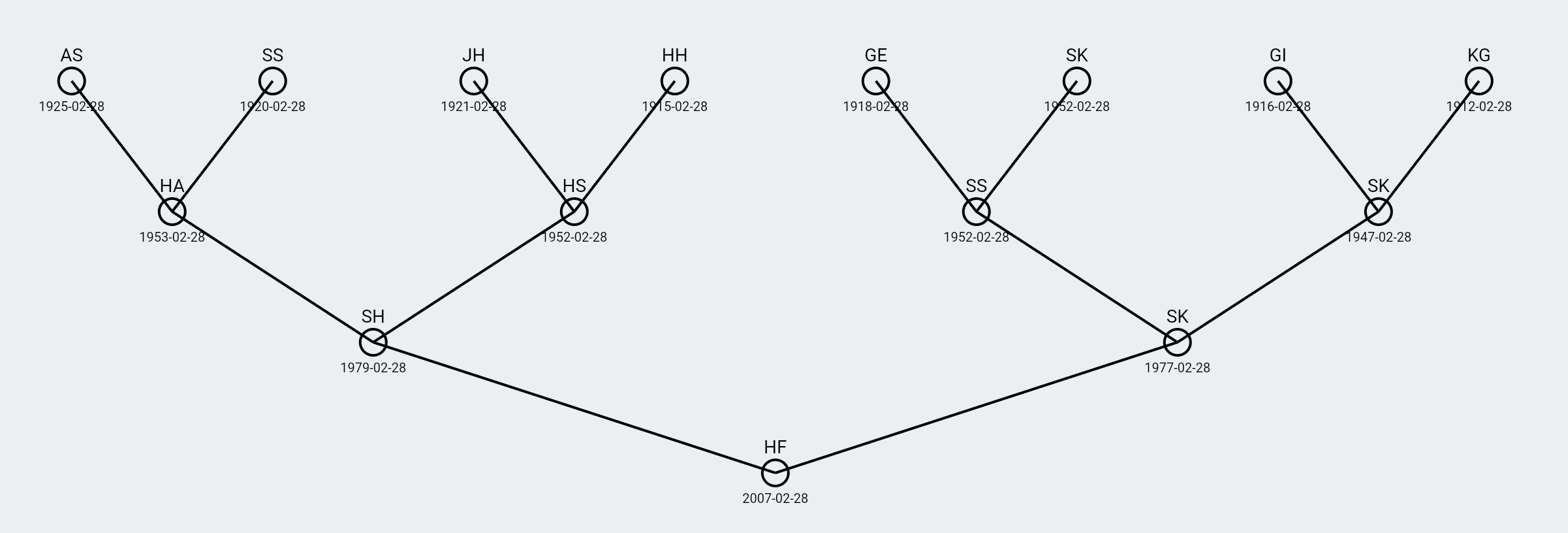
The family tree visualization screen allows you to see the entire family tree starting from the current person. You can zoom in and out using the interactive viewer.
Exporting to Newick Format
You can export your family tree in Newick format for use in phylogenetic analysis. To do this, select the "Newick" format option in the settings export menu. Once exported, you can open the Newick file in the Phylogenetic Viewer app.
Download the Phylogenetic Viewer app from the following links:


Contact Us
If you have any questions or need further assistance, please contact us at sigmasoftapps@gmail.com